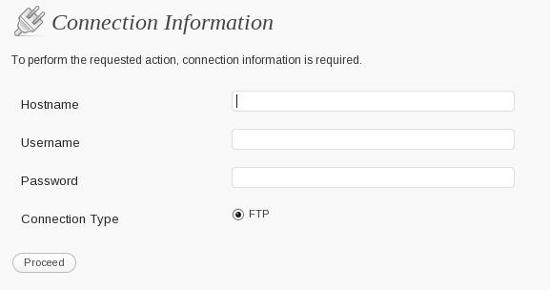
Wordpress added a nice feature a while back - the ability to upgrade your installation while logged into the admin console. If you make use of this feature you no longer need to mess around with downloading zip file, deleting the old stuff, loading the upgrade.php script etc etc. The same system can be used to upgrade plugins too.
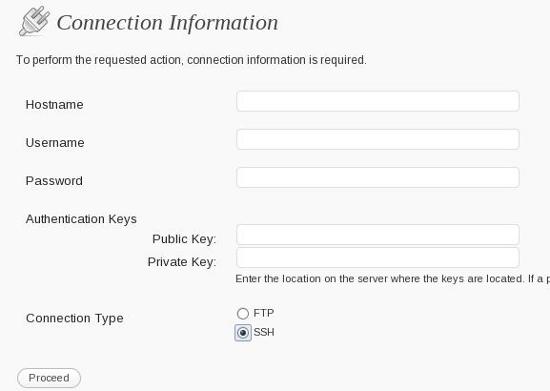
I never made use of this feature for two reasons, the first being that my wordpress installation is subversioned (revision control with subversion) and the second being that only FTP and FTP+SSL were supported by it. FTP+SSL isn't so bad but FTP is totally insecure. Eventually I decided to use this update system for the plugins at least and thought I should add support for SFTP. The plan was to create a plugin that would add an SSH option to the upgrader. It was then that I found that SFTP support is already there but hasn't been enabled!
no SSH
On my desktop computer (Fedora 11), where I keep a copy of all my websites, I had the SFTP option enabled in a less than a minute but on my production server it took a while longer. That was because because libssh2, which is the key requirement for the PHP SSH extension could not be installed with YUM. (This is a Centos server). While attempting to use YUM, I had to run a load of updates and worst of all reboot the server (something which hasn't been done for more than an year).
libssh2/php ssh extention had to be installed manually and I followed the instructions in the /wp-admin/includes/class-wp-filesystem-ssh2.php file - the same set of instructions are found at http://kevin.vanzonneveld.net/techblog/article/make_ssh_connections_with_php/. Unfortunately they both contain an error.
cd /usr/src
wget http://surfnet.dl.sourceforge.net/sourceforge/libssh2/libssh2-0.14.tar.gz
tar -zxvf libssh2-0.14.tar.gz
cd libssh2-0.14/
./configure
make all install
The libssh2 download is really ancient - it wouldn't even compile on my Centos box - worse gcc even segfaulted while trying to compile it. I kid you not. I have never seen gcc segfault before.
make[1]: Entering directory `/root/libssh2-0.14/src'
gcc -o channel.o channel.c -c -g -O2 /usr/include -I/usr/include -Wall -I../include/ -fPIC
gcc: /usr/include: linker input file unused because linking not done
channel.c253:10: /usr/include: No such file or directory
channel.c:71: internal compiler error: Segmentation fault
Please submit a full bug report,
with preprocessed source if appropriate.
See for instructions.
make[1]: *** [channel.o] Error
make[1]: Leaving directory `/root/libssh2-0.14/src'
make: *** [all] Error
The correct way to go about it is to visit the libssh2 project page on sourceforge and download the latest version (happens to be 1.1 at the time of writing). The latest version could be compiled without any problems. After that you can do the pecl installation followed by editing the php.ini file
pecl install -f ssh2
wordpress and ssh
In my case, I had to give the full path to the ssh2.so file because the engine couldn't find the extension when only a relative path was given. That's because pear seems to have installed the shared object at a wierd location. Well in the end after the apachectl restart I now have the PHP SSH extension enabled and wordpress update page does show the ssh2 extension.